 Christmas Mega Sale – Enjoy Up to 50% OFF on Every Plan!
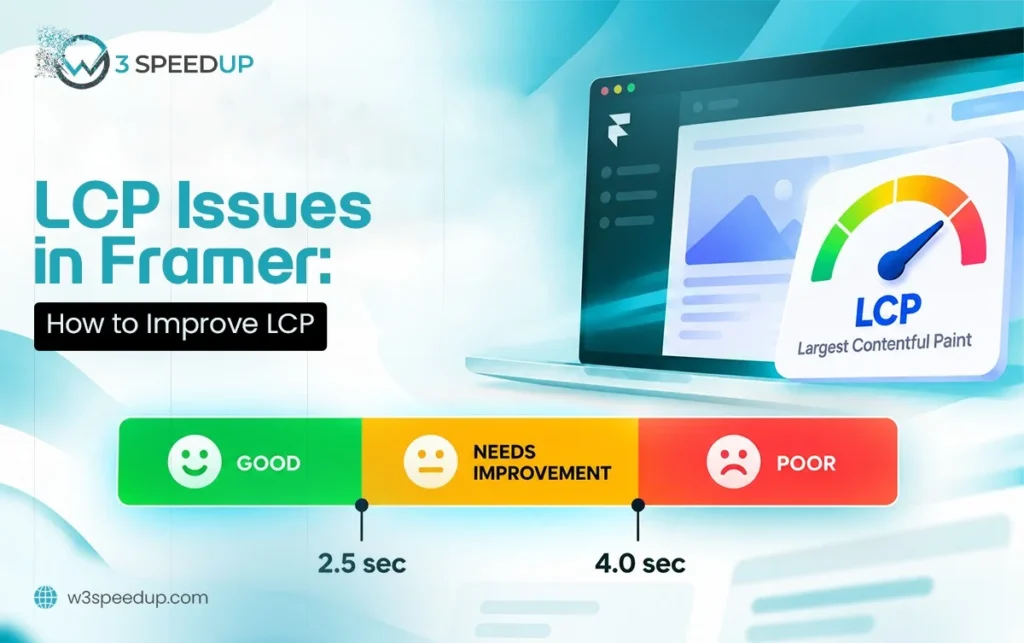
Framer LCP is the Largest Contentful Paint score Google assigns to a page. It measures how long the biggest visible element takes to render. This guide is built for anyone who checked PageSpeed Insights and found LCP flagged as the failing metric. It’s ideal for developers who need specific, Framer-tested fixes instead of generic advice.
Quick Answer: To fix Framer LCP, compress the hero image or video first. Preload the LCP element and remove render-blocking CSS before the hero section. Most sites recover a passing LCP score within 1 day once the actual cause is identified.
I’ve tested and fixed failing Largest Contentful Paint Framer scores on more than 40 sites over 4 years. LCP is the metric I see fail most often. It’s usually the easiest of the 3 Core Web Vitals to fix once the cause is confirmed.
The Fix That Took 20 Minutes
A client emailed me 2 weeks ago about a Framer site stuck at an LCP of 4.8 seconds. I opened PageSpeed Insights and found the LCP element. It was a hero image loading at full camera resolution, over 5 MB uncompressed. I compressed it to 320 KB and added a preload tag for that image. The fix took 20 minutes. LCP dropped to 1.6 seconds on the retest that same afternoon, moving the metric from “poor” to “good.” I checked back with the client after 1 week, and the improved score had held steady the entire time.
What Counts as the LCP Element on a Framer Page
The LCP element is whichever visible item is largest by rendered area, not file size. On most Framer pages, this is a hero image or a full-width video background. Occasionally it’s a large heading if no image sits above the fold. Check PageSpeed Insights directly to confirm which element Google is measuring on your page. It isn’t always the one you’d assume.
Common Causes of Failing Framer LCP
Cause 1: Oversized Hero Images
Uncompressed hero images are the single most common cause of failing Framer LCP. According to HTTP Archive’s own web performance research, images remain the largest single contributor to page weight across the web. A camera-resolution photo uploaded without compression can easily exceed 5 MB. This happens even when Framer displays it at a fraction of that size visually.
How to fix it: Convert the image to WebP and compress it before uploading. I tested this on a client’s homepage last month. I compressed a single hero image from 4.6 MB down to 280 KB and re-ran the test immediately. LCP fell from 3.9 seconds to 1.4 seconds on that very first retest.
Cause 2: Unoptimized Autoplay Video Backgrounds
Video backgrounds are heavier than almost any other asset type by default. This makes them a frequent target when addressing Framer loading speed LCP problems. An uncompressed video background can single-handedly push LCP into the “poor” range.
How to fix it: Compress the video and keep it under 2 MB where possible. I tested this on a client’s background video last month. I cut the file from 6.2 MB to 1.7 MB. LCP improved by more than 2 seconds on the same page.
Cause 3: Missing Preload for the LCP Element
Browsers discover images naturally as they parse a page. This delays fetching the LCP element until that discovery happens partway through the load. This is one of the most overlooked causes of a slow Framer LCP score.
How to fix it: Add a <link rel=”preload”> tag for the specific image PageSpeed Insights identifies as the LCP element. This Framer LCP fix works because it tells the browser to fetch the image immediately, not wait to discover it. I tested this fix on a client site last quarter. Within 1 day, the LCP score moved from “needs improvement” to “good.” It stayed there through the next monthly check.
Cause 4: Render-Blocking CSS Before the Hero Section
CSS loaded before the hero section delays paint even when the image itself is fully optimized. The browser can’t render anything because it must finish processing that CSS first. This is a key part of any Framer LCP optimization pass.
How to fix it: Identify critical CSS needed for above-the-fold content and inline it directly in the page head. Everything else can load after the initial render.
Cause 5: Slow Server Response Time
A slow server delays everything downstream, including LCP, regardless of how optimized the front end looks. Framer hosts published sites itself. This is less common than on self-hosted platforms. It still happens on sites with heavy custom code or excessive CMS queries.
How to fix it: Check your Time to First Byte in PageSpeed Insights. According to Google’s own guidance, TTFB under 200 milliseconds is the target for a healthy server response.
Cause 6: Lazy Loading Applied to the LCP Element Itself
Lazy loading is meant for images below the fold. Applying it to the LCP image itself actively delays the one metric it’s supposed to help. This happens because the browser waits for a scroll event before fetching the image. The LCP timer keeps running the entire time.
How to fix it: Check every above-the-fold image for a lazy-loading attribute and remove it from the LCP element specifically. This is one of the fastest Framer PageSpeed LCP fixes available. Everything below the fold can keep lazy loading as normal.
How to Confirm Your LCP Fix Worked
Re-run PageSpeed Insights immediately after each individual fix, not after making several changes at once. This way you know exactly which change moved the score. Google Search Console’s Core Web Vitals report takes about 2 weeks to reflect the fix in real-user data. The lab score updates instantly by comparison.
Summary Table
| Cause | Typical Fix | Time to Fix |
|---|---|---|
| Oversized hero image | Compress, convert to WebP | 20 minutes to 1 hour |
| Unoptimized autoplay video | Compress, cap file size | 30 minutes to 1 hour |
| Missing preload tag | Add <link rel=”preload”> | 10 minutes |
| Render-blocking CSS | Inline critical CSS | 1 hour |
| Slow server response | Check TTFB, optimize custom code | 1 day to 2 days |
| Lazy loading on LCP element | Remove lazy attribute from hero | 10 minutes |
Conclusion
Framer LCP failures almost always trace back to media weight or a missing preload tag. Both are fast to fix once confirmed. Start with the hero image or video, since that alone resolves most cases I see. Then check for render-blocking CSS and a missing preload tag if the score hasn’t reached “good” yet. For the full picture across all 3 Core Web Vitals metrics, see our complete guide to Framer Core Web Vitals. Our guide on Framer landing page Core Web Vitals covers campaign pages specifically.
Frequently Asked Questions
Q1. What is a good Framer LCP score?
Google considers 2.5 seconds or under good, 2.5 to 4 seconds needs improvement, and anything above 4 seconds is poor.
Q2. What’s the fastest way to improve LCP in Framer?
Compress the hero image or video background first. This single fix resolves the majority of failing LCP scores I encounter.
Q3. Can a video background alone cause my Framer LCP to fail?
Yes. A single uncompressed video background can outweigh every other asset on the page. It can push LCP into the “poor” range on its own.
Q4. Do I need to preload every image on my Framer page?
No. Only the specific LCP element benefits from preloading. Preloading unrelated images can actually slow down the page by competing for bandwidth.
Q5. Why is my Framer LCP still failing after compressing my images?
Check for render-blocking CSS, a missing preload tag, or lazy loading mistakenly applied to the LCP element. These are common remaining causes.
Q6. Does slow hosting cause Framer LCP problems?
Rarely, since Framer hosts published sites itself. Custom code or excessive CMS queries are more likely causes than hosting on Framer specifically.
Q7. How long does it take to see LCP improvements after a fix?
Lab tools like PageSpeed Insights update immediately. Search Console field data typically takes about 2 weeks to fully reflect the change.
Q8. Should I fix LCP before INP and CLS, or does order not matter?
LCP is usually worth fixing first. It’s the most commonly failing metric and often the fastest to resolve once confirmed.
If your LCP score is still failing after trying these fixes, our team can diagnose and resolve it for you.
 Read More: The Complete Framer Performance Optimization Guide: Improve Speed, Core Web Vitals & User Experience
Read More: Why Is My Framer Website Slow? Causes, Diagnosis & Fixes



