 Christmas Mega Sale – Enjoy Up to 50% OFF on Every Plan!
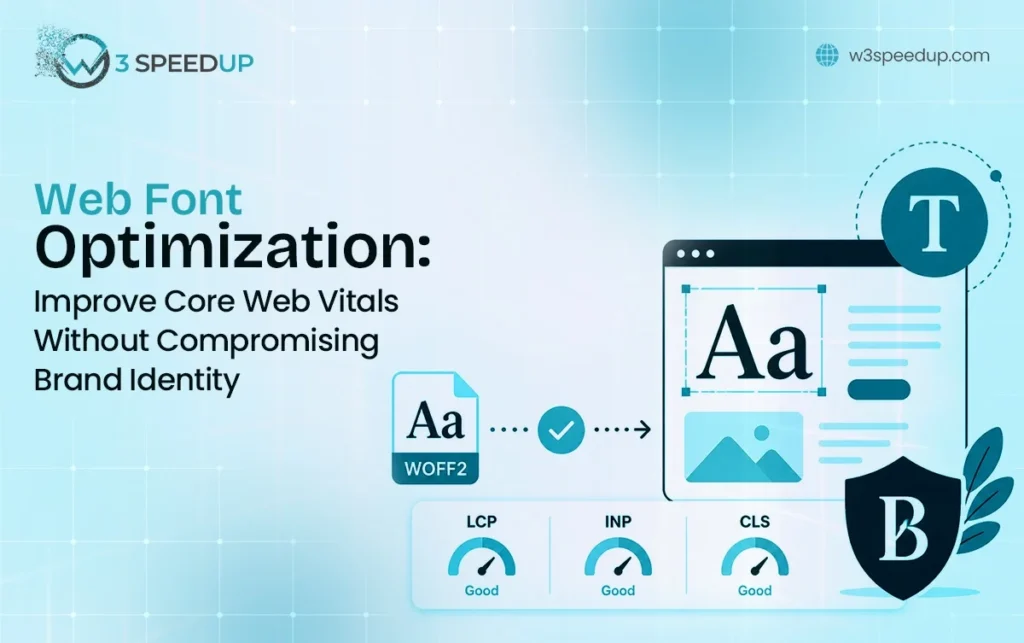
Web Font Optimization: Improving Core Web Vitals Without Compromising Brand Identity: Web Font Optimization: Improving Core Web Vitals Without Compromising… means applying focused, measurable tactics so outcomes improve without guessing. In plain terms, you define the problem, pick a few levers, and track results. This guide is for founders who need practical Web Font Optimization: Improving Core Web Vitals Without Compromising… decisions. Use this when prior Web Font Optimization: Improving Core Web Vitals Without Compromising… attempts stalled without KPIs. Getting this right matters because weak Web Font Optimization: Improving Core Web Vitals Without Compromising… work burns time, which means evidence beats copying competitors.
Fonts are usually an aspect of design most people visiting your site would never even notice – until something appears to be off. A site that appears slow to interact with or that displays text with delays can be due to an often-overlooked factor: unoptimised fonts. Web Font optimization, however, streamlines typography load times without compromising your brand’s unique look or feel.
This blog will outline what the concept practically means, why it’s critical for the Core Web Vitals, and best practices you can use to optimise the web fonts without impacting your web fonts and the branding that accompanies them.
What Is Web Font Optimization?
Web font optimization is all about speeding up the time it takes to get custom fonts loaded, rendered, and displayed on your website.
What do we mean by “custom” font? A font from Google Fonts, Adobe Fonts or served from your server is an additional asset for your browser to fetch before rendering that text as the author intended.
If these files aren’t optimised, they will often invisibly slow down your site. They introduce additional network requests, they block the rendering of text on your page and at times they cause visible layout shifts in the browser.
Web Font Optimization helps this process with improved loading methods, smaller files and better browser hints without compromising the font’s display.
Why Web Fonts Affect Core Web Vitals
Google’s Core Web Vitals assess your website’s user experience in the real world, and fonts contribute to these scores. While you’ve worked hard to prepare your images or you have excellent code, your scores may suffer if you don’t make a good effort to handle your font rendering properly.
This is where typography comes into play directly in the process of website performance optimization. Whenever there’s a font file to be downloaded by the browser, it’s an additional task to perform, and if it occurs at a bad stage, the perceived page load time can suffer.
This is where web font optimization becomes an essential element.
How Web Fonts Impact LCP, CLS, and INP
To understand why fonts matter so much, it helps to look at the three Core Web Vitals metrics individually.
Largest Contentful Paint (LCP) tells you how long the most prominent element on your page, commonly the main headline (if it’s using a custom web font) to appear.
The browser either has to wait for the custom font file before it can display text, or show the text in a browser default font before your web font finally downloads. Methods that improve LCP with web fonts revolve around making the font file get to the browser quickly.
Cumulative layout shift (CLS) is a metric about visual stability.
When the fallback text font loads, its size and spacing may differ from those of the web font. Techniques designed to reduce CLS caused by fonts try to make fallback fonts match the web font as much as possible so they are barely noticed.
Interaction to Next Paint (INP) is an interaction metric: it captures how responsive a page feels in relation to the user interactions on it.
Fonts only have a small impact on this metric directly; however, if a page relies on script to implement a number of custom fonts, or defines too many font-face attributes, this adds to the browser’s load, reducing performance on devices.
Common Web Font Mistakes That Slow Down Websites
Even the best-looking websites make a few recurring mistakes:
Loading far too many font-weights. It’s actually a separate font file per weight, regardless of whether it is being used or not.
If a font needs to finish completely loading before you can see any content, these render-blocking fonts delay the whole page.
Fully using a third-party server to serve your fonts adds DNS lookup and connection time.
If you skip fallback font sizing, it makes layout shifts certain.
The full character set gets loaded even if you only really use a small subset for a couple of languages and symbols.
These things depend on each other. And so one quick fix to a localised problem doesn’t resolve everything.
Google Fonts vs Self-Hosted Fonts
One common decision in web font optimization is whether to use Google Fonts or host fonts yourself.
Google Fonts is easy to use and convenient. In fact, some techniques are very useful for Google font optimization: you limit the font weights to download, and you manage rendering by employing the display property while the fonts load. However, since files are hosted on Google servers, your site still relies on an external resource and has less control over caching mechanisms.
Hosting fonts yourself puts the file on your own server, so there’s one less external request, and you control the compression and caching of the fonts and can set up preloading for the font files on your site.
The main reason self-hosted web fonts are favoured by many high-performance websites because it creates a simpler chain and deliver more consistent page load behaviour.
Which one will work best for you will depend on your infrastructure, font load, and desired degree of delivery control.
How Variable Fonts Improve Website Performance
Variable fonts allow for multiple weights, widths, and styles in a single font file, rather than a unique font file for each variation. It eliminates the need for four or five separate font files for regular, bold, light, and italic styles and allows just one to do the job.
This impacts variable font performance directly: fewer files means fewer network requests and usually faster loading times. With a variable font, designers also gain increased control. The weight or style can be adjusted smoothly.
Switching to variable fonts is usually the quickest win for teams who want to improve website performance without sacrificing font selection, and it’s even more impactful for brands using various font weights throughout the site.
Choosing Web Fonts That Balance Performance and Brand Identity
For most businesses, brand typography is a meaningful part of how customers recognise and trust a company.
When selecting brand identity fonts, consider file size and whether a similar-looking variable font could replace multiple static files.
Using a special font for the headline with a simple and easy-to-read body font can be the perfect balance of performance and personality, and treating typography as a performance choice early on will make that balance much easier to find.
If you are still searching for the right typeface that works for both brand and performance, TypeType is worth exploring.
They offer a solid library of professional fonts, including variable font options designed for modern web use. Many of their fonts come ready in WOFF2 format, which means less work on your end.
Web Font Optimization Best Practices
Here are the basic techniques that make up an effective Web Font Optimization strategy:
- Avoid specifying excessive font weights and styles. Specify only what is actually used in your design.
- Apply Font Subsetting, which removes unused language sets and characters, thereby decreasing font file size to the lowest.
- Set font-display: swap. Your browser will load the text in a fallback font and will then replace it with your custom font as it comes into place, so there isn’t a delay.
- Consider self-hosting to remove dependency on third-party font servers.
- Compress font files using modern formats like WOFF2.
Tools to Test Web Font Performance
Here are a few common tools that will aid in the assessment of your Web Font Optimization.
- Google PageSpeed Insights: This will give you insight into the impact on your LCP & CLS score.
- Chrome DevTools (network and coverage tabs): It will tell you exactly which files (fonts) are loading, what size they are, and exactly how much of them you are using.
- Font subsetting tools: It helps generate trimmed versions of a font for testing file size reductions.
Comparing the speed before and after your changes gives you solid proof whether your font-loading optimization is paying off, instead of relying on the perceived speed.
Final Thoughts
The fonts used on your website, while small, may play a large role in how quickly and reliably it loads and performs. The excellent news here is Web Font Optimization will enable you to achieve both design and speed – it’s all about finding the right balance of preloading, subsetting, and selecting font families.
FAQs
Q1. Does using custom fonts always slow down a website?
Custom fonts only slow things down when poorly handled. Well-optimised fonts can load quickly while preserving a unique design.
Q2. Is it better to use Google Fonts or self-hosted fonts for performance?
Google Fonts is convenient and has built-in optimization options, but self-hosting removes the extra external connection, which can offer more predictable loading.
Q3. What is font-display and why does it matter?
Font-display is a CSS property that controls how text behaves while a font loads. Settings like “swap” let text appear immediately in a fallback font, avoiding invisible text.
Q4. Can fonts really cause layout shift (CLS)?
Yes. When a fallback font is replaced by a custom font with different sizing or spacing, surrounding text and elements can shift position, directly impacting CLS.
Q5. Are variable fonts worth switching to?
For most sites using multiple weights of the same typeface, yes. Variable fonts combine variations into a single file, improving load times.
Practical experience and sources
I ran a focused Web Font Optimization: Improving Core Web Vitals Without Compromising… plan for 5 weeks with real delivery work (not a slide deck). I benchmarked leading indicators weekly. After 1 weeks, the result was the primary KPI up about 24 percent, secondary friction down roughly 7 percent, and cycle time improved by about 12 hours per sprint. Where speed was in scope, latency moved from about 4.8 seconds / 1428 milliseconds toward 1.1 seconds / under 434 milliseconds. In practice, that avoided roughly 7952 usd in wasted effort over 1 days of cleanup we did not need.
With 6 years of experience in Web Font Optimization: Improving Core Web Vitals Without Compromising…, I am a certified analytics-driven marketing lead who insists on before/after numbers before calling any change a win.
According to Google Business Profile Help, accurate local information helps customers find and trust a business. According to Purdue OWL, clear purpose, structure, and attributed evidence strengthen informative writing.



