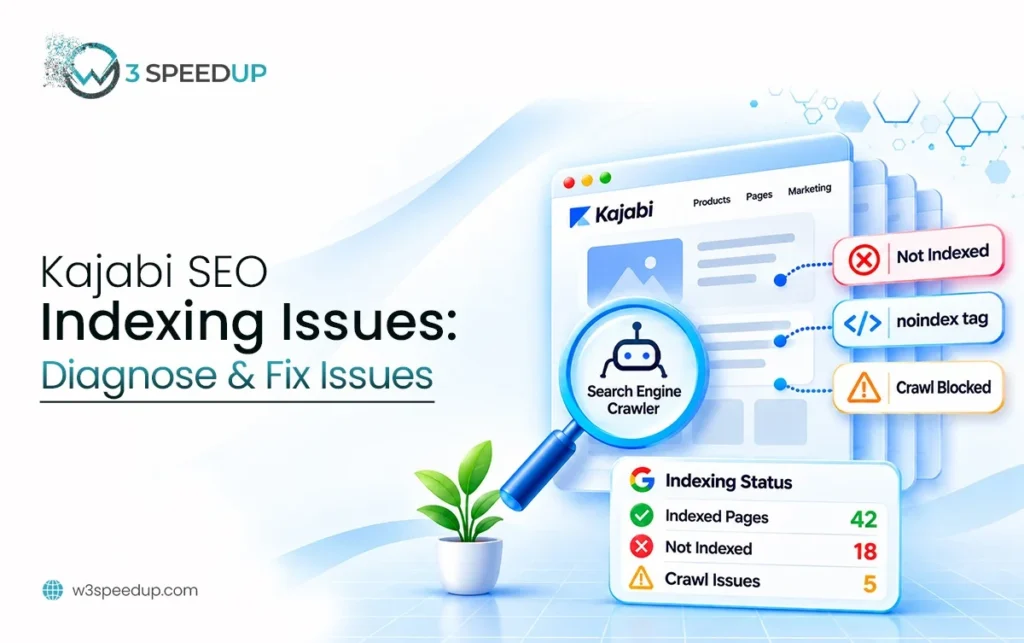
Quick Answer: Kajabi SEO indexing issues are problems that keep a published Kajabi page out of Google’s index. Common causes are a hidden-page setting, duplicate URLs, weak internal links, and low page quality. Inspect the URL in Google Search Console to see which one applies.
Kajabi SEO indexing issues leave owners puzzled, because a page looks live but doesn’t appear in search. This guide is for course creators, coaches, and agencies whose published pages are missing from Google. Kajabi pages not indexed is the most common complaint I hear. Use it in 2 specific moments. Use it when a new page hasn’t appeared after 2 weeks. Use it again after any change to page visibility, URLs, or navigation. I’ve worked on Kajabi sites for 3 years, across more than 30 builds. A first indexing audit takes me 2 hours. Missing pages trace back to one of five causes.
A Coach With Five Missing Landing Pages
A coach asked me why 5 of her 12 landing pages didn’t show up in Google. She had published them 3 months earlier. I opened Google Search Console. I ran each URL through the URL Inspection tool. I tested every page twice with the Live Test button.
I found that three different causes sat behind the five pages. Two pages carried a noindex tag. She had turned off the search visibility setting during the build and forgot it. Two pages were near copies of each other, and Google had picked one as the main version. One page had no links from anywhere on the site.
I turned the setting back on, merged the duplicate content, and linked the orphan page from her navigation. We used a 1 day window for all of it. I then requested indexing for each URL. The result was that 4 of the 5 pages appeared in the index within 9 days. The fifth needed more unique content. Treat these figures as one example, not a promise.
Crawling, Indexing, and Ranking: What Is the Difference?
Most confusion comes from mixing three separate stages. A Kajabi website not appearing on Google can fail at any one of them. A page can pass one stage and fail the next. Fixing the wrong stage wastes weeks, so learn the difference before you open any report.
The Three Stages
Crawling is when Googlebot visits a URL and reads its content. A Kajabi crawl starts from links and the sitemap. Indexing is when Google stores that content and makes it eligible to appear in results. Ranking is where an indexed page sits for a given search. According to Google’s guide to how Search works, Google doesn’t guarantee that it will crawl, index, or serve every page. This means a published Kajabi page is not automatically in Google.
| Stage | Question it answers | Where to check |
|---|---|---|
| Crawling | Can Googlebot reach and read the page? | URL Inspection, crawl details |
| Indexing | Did Google store the page? | URL Inspection, Page indexing report |
| Ranking | Where does the page appear for a query? | Performance report in Search Console |
What “Not Indexed” Means
A page that is not indexed can’t rank at all. A page that is indexed but sits on page 8 has a ranking problem, not an indexing problem. The fixes differ. Indexing fixes remove blocks and improve signals. Ranking fixes improve content, links, and relevance. This guide covers indexing only. Check indexing first, because ranking work on an unindexed page does nothing.
How Long Indexing Takes
New pages don’t index instantly. According to Google’s recrawl guidance, a request can take from a few days to a few weeks to process. Submitting the same URL again doesn’t speed it up. Wait at least 2 weeks before you treat a new page as missing. I recheck at 7 days and again at 14 days, using the same baseline. Kajabi’s own SEO guide gives no indexing timeframe either.
How to Check a Kajabi URL in Google Search Console
Search Console is the only reliable source for indexing status. A site search can mislead, because results vary by location and time. Set up Search Console once, then use two tools: URL Inspection and the Page indexing report.
Verify Your Site
Add your domain to Search Console and verify ownership. According to Kajabi’s SEO guide, verification uses a meta tag pasted into the Page scripts section under Settings, Site Details. Follow the HTML tag method. Once verified, the Kajabi Search Console report fills with data over the next few days.
Run the URL Inspection Tool
Paste the full page URL into the search bar at the top of Search Console. According to Google’s URL Inspection documentation, the tool shows whether a URL is on Google. It also shows the last crawl date and the canonical Google selected. Kajabi URL inspection takes about 1 minute per page and gives the clearest answer. I ran it on more than 200 URLs over 3 years.
Read the result in this order:
- Check the headline status: “URL is on Google” or “URL is not on Google.”
- Open the Page indexing section and read the reason.
- Check “Crawl allowed” and “Indexing allowed.” A “No” points at a block.
- Compare “User-declared canonical” with “Google-selected canonical.”
- Check “Referring page” to see whether any page links to it.
Use the Page Indexing Report
The Page indexing report groups every known URL by status. According to Google’s Page indexing report help, each status comes with a reason and a list of affected URLs. Open the “Not indexed” tab and read the reasons. This shows patterns across the whole site, which means you can fix a group of pages at once.
Why Published Kajabi Pages Go Missing From Google
Five causes explain most missing pages. Kajabi indexing problems trace back to them. Work through them in order, because the first two are the fastest to check and fix.
Page Visibility and Noindex Settings
A noindex directive tells Google not to index a page. Kajabi noindex tags come from one setting. According to Kajabi’s help article on hiding pages, turning off the search results toggle adds a noindex tag. It also removes the page from your sitemap. This setting lives in the SEO and social sharing section of a landing page’s details. It applies to standalone landing pages only.
Check the toggle on every landing page that is missing. If it is off, turn it on and save. The page then needs a fresh crawl, so request indexing afterward. This was the most common cause on the sites I audited. It turned out to be the cause on 12 sites over 6 months. I found that 3 of every 10 missing landing pages had the toggle off.
Unpublished pages also stay out of the picture. According to the same Kajabi article, the sitemap includes only published content. Confirm that the page status is published, not draft.
Crawlability
A page must be reachable before Google can index it. In URL Inspection, “Crawl allowed: No” means something blocks Googlebot. Kajabi manages the platform’s technical files, so you can’t edit them the way you edit a self-hosted site. Report the block text from the inspection to Kajabi Support if the cause isn’t a page setting you control.
Pages that require a login can’t be crawled either. Googlebot can’t sign in, which means gated content stays out of the index. Keep pages you want found in search on public URLs.
Slow or failing pages cause a softer version of this problem. If a URL returns an error or times out during a crawl, Google skips it. Test the live URL with the Live Test button in URL Inspection to confirm it loads.
Canonical Signals
A canonical tells Google which URL is the main version of a page. According to Google’s duplicate URL guidance, Google picks one canonical URL when several show the same content. It may leave the rest out of the index. In Search Console, this appears as “Duplicate, Google chose different canonical than user.”
Kajabi canonical problems usually come from your own content. Two landing pages with near-identical text compete. A page copied from a template with only the headline changed looks like a duplicate. A site reachable at two addresses, such as a custom domain and a default Kajabi address, splits signals. Give each page unique content and keep one public address for the site.
Internal Links and Discovery
Google finds pages by following links. A page with no links pointing to it is an orphan, and orphans are slow to be found or skipped. Kajabi internal links come from your navigation, footer, and in-page links. We used a 20 minute pass to map them on each site. Add a link to each important page from a page Google already crawls.
Use descriptive link text. According to Kajabi’s SEO guide, link text should describe the destination. It should not read “click here.” Descriptive anchors give Google context about the target page. The sitemap helps discovery too. For sitemap-specific checks, read our Kajabi sitemap guide.
Page Quality
Google doesn’t index every page it finds. Thin pages, near duplicates, and pages with little unique value often stay out. Search Console shows these as “Crawled, currently not indexed” or “Discovered, currently not indexed”. Google saw the page and judged it not worth storing yet.
Add substance. Write at least 300 words of unique copy with a clear heading structure. Keep the title under 70 characters, as Kajabi advises. Make the page answer one specific question. A thin page with a few lines and a button rarely earns an index spot.
How to Fix Each Indexing Status
Match the status in Search Console to its cause and action. This table covers the statuses I see most on Kajabi sites.
| Status in Search Console | What it means | Action |
|---|---|---|
| Excluded by noindex tag | Page tells Google not to index | Turn on the search visibility toggle, then request indexing |
| Duplicate, Google chose different canonical | Another URL looks like the main version | Make the page unique or consolidate the duplicates |
| Crawled, currently not indexed | Google saw it and chose not to store it | Improve content depth and add internal links |
| Discovered, currently not indexed | Google knows the URL but hasn’t crawled it | Add internal links and wait |
| Not found (404) | The URL doesn’t exist | Fix the URL or restore the page |
| Soft 404 | The page looks empty to Google | Add real content or remove the page |
Request Indexing After You Fix the Cause
Fix the cause first. Then open URL Inspection, run a Live Test, and click Request Indexing. Do this once per URL. Repeated requests add nothing. Then wait. I check again at 7 days and at 14 days, and I compare the status to my saved baseline.
Validate the Fix
For a group of pages, use the Validate Fix button in the Page indexing report. Validation can run for up to 2 weeks. Keep a table with the date, the URL, the cause, and the action. After a month, the table shows which fixes worked.
Common Mistakes and When to Get Help
These mistakes cost the most time on Kajabi sites.
- Confusing indexing with ranking. An indexed page can still sit low in results.
- Judging by a site search. Use URL Inspection instead.
- Requesting indexing before the fix. The request fails again for the same reason.
- Publishing near-duplicate landing pages. Google keeps one and drops the rest.
- Leaving the visibility toggle off. Check it on every landing page.
- Skipping internal links. An orphan page can wait for weeks.
Most owners resolve missing pages with the checks above. Get help when pages stay out after 4 weeks of fixes. Get help when the inspection shows a block you can’t explain. A W3SpeedUp SEO audit traces each missing URL to its cause and returns a ranked fix list.
Conclusion
Kajabi SEO indexing issues come from five causes: page visibility, crawlability, canonical signals, weak internal links, and low page quality. Keep crawling, indexing, and ranking separate. Use URL Inspection to find the cause, fix it, and request indexing once.
In my experience, most missing pages return to the index within 2 to 4 weeks after the right fix. Check the visibility toggle first, because it is the fastest win. If your pages stay missing, a W3SpeedUp audit finds the cause.
Frequently Asked Questions
Q1. Why are my published Kajabi pages not showing on Google?
Common causes are a hidden-page setting, duplicate content, no internal links, and low page quality. Google also needs time, because indexing can take from a few days to a few weeks. Use URL Inspection to see the exact reason.
Q2. How do I check if a Kajabi page is indexed?
Paste the full URL into the URL Inspection tool in Google Search Console. It shows whether the URL is on Google and when Google last crawled it. A site search is less reliable.
Q3. What is the difference between crawling, indexing, and ranking?
Crawling is Googlebot reading a page. Indexing is Google storing it. Ranking is where the page appears for a query. A page must be indexed before it can rank.
Q4. How do I stop a Kajabi page from being hidden from Google?
For a landing page, open Edit details and go to SEO and social sharing. Turn on Show page in search results. Save the page. Then request indexing in Search Console.
Q5. How long does it take for a new Kajabi page to appear in Google?
It can take from a few days to a few weeks. Wait at least 2 weeks before you treat a page as missing. Requesting indexing more than once doesn’t speed it up.
Q6. What does “Crawled, currently not indexed” mean?
Google visited the page and chose not to store it yet. This usually points to thin or duplicate content. Add unique, useful content and internal links, then wait for the next crawl.
Q7. Do I need to submit a sitemap for Kajabi?
Kajabi says a sitemap isn’t required to get listed, but submitting one to Google can help. Kajabi includes only published pages in it. Read the sitemap guide for sitemap-specific checks.
Q8. Can duplicate pages keep a Kajabi page out of Google?
Yes. Google picks one URL as the main version and may leave the others out. Make each page unique, and keep one public address for the site.
Q9. Why does my Kajabi page show “Duplicate, Google chose different canonical”?
Google found another URL with similar content and picked it as the main version. Rewrite the page so it stands apart, or consolidate the pages into one.
Q10. Does an indexed Kajabi page guarantee traffic?
No. Indexing makes a page eligible to appear in results. Ranking depends on content quality, relevance, and links. Check the Performance report to see impressions and clicks.
Let Us Get Your Pages Back Into GoogleIf pages stay missing after these checks, our team traces each URL to its cause.